
指定方法
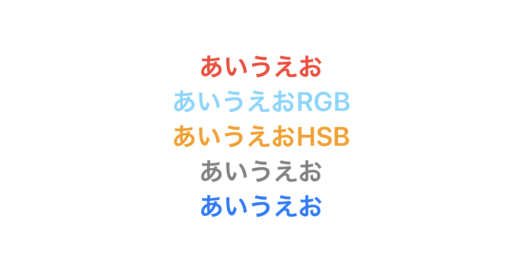
    var body: some View {
        Text("あいうえお")
            .bold()
            .foregroundColor(.red)

        // RGB 1.0 = 255
        Text("あいうえおRGB")
            .bold()
            .foregroundColor(Color(red: 0.4627, green: 0.8392, blue: 1.0))

        // 色相 (H)、彩度 (S)、輝度 (B)
        Text("あいうえおHSB")
            .bold()
            .foregroundColor(Color(hue: 0.1, saturation: 1, brightness: 1))

        Text("あいうえお")
            .bold()
            .foregroundColor(Color(white: 0.5))

        // UIColor
        Text("あいうえお")
            .bold()
            .foregroundColor(Color(uiColor: .link))
    }
UIColor
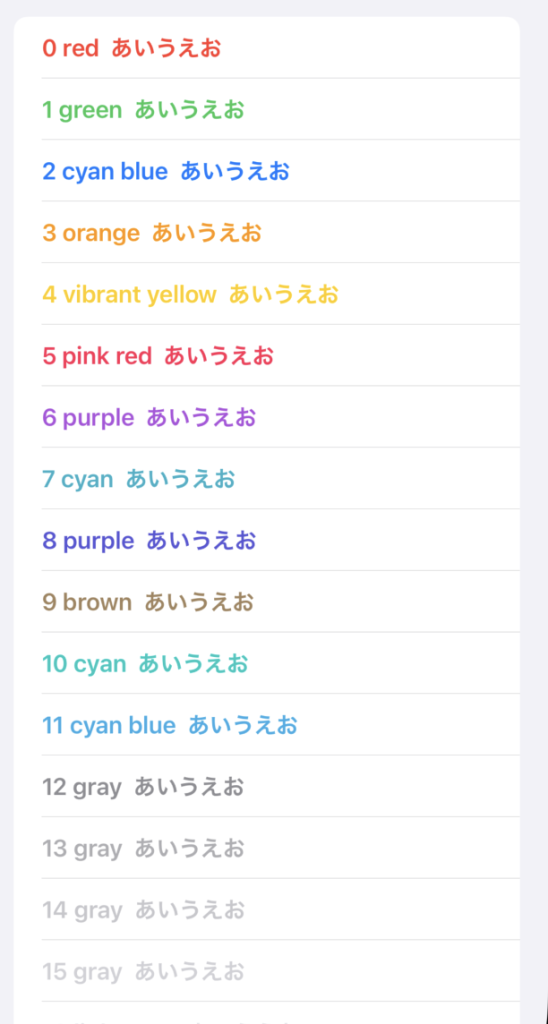
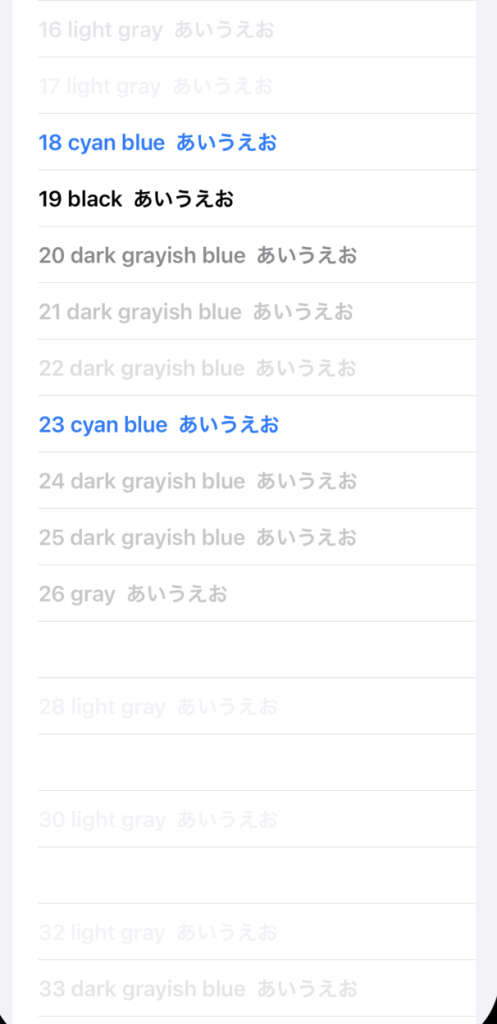
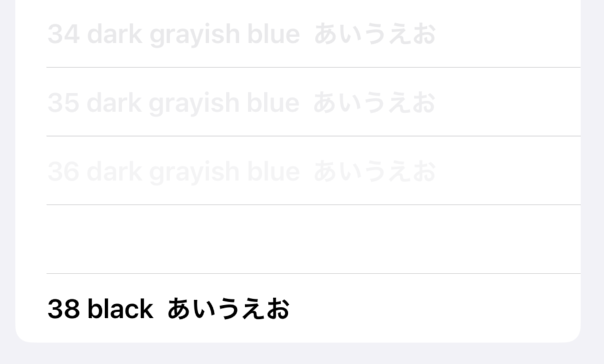
    private var uiColors = [
        UIColor.systemRed,      // 0
        UIColor.systemGreen,
        UIColor.systemBlue,
        UIColor.systemOrange,
        UIColor.systemYellow,
        UIColor.systemPink,
        UIColor.systemPurple,
        UIColor.systemTeal,
        UIColor.systemIndigo,
        UIColor.systemBrown,
        UIColor.systemMint,     // 10
        UIColor.systemCyan,
        UIColor.systemGray,
        UIColor.systemGray2,
        UIColor.systemGray3,
        UIColor.systemGray4,
        UIColor.systemGray5,
        UIColor.systemGray6,
        UIColor.tintColor,
        UIColor.label,
        UIColor.secondaryLabel, // 20
        UIColor.tertiaryLabel,
        UIColor.quaternaryLabel,
        UIColor.link,
        UIColor.placeholderText,
        UIColor.separator,
        UIColor.opaqueSeparator,
        UIColor.systemBackground,
        UIColor.secondarySystemBackground,
        UIColor.tertiarySystemBackground,
        UIColor.systemGroupedBackground,    // 30
        UIColor.secondarySystemGroupedBackground,
        UIColor.tertiarySystemGroupedBackground,
        UIColor.systemFill,
        UIColor.secondarySystemFill,
        UIColor.tertiarySystemFill,
        UIColor.quaternarySystemFill,
        UIColor.lightText,
        UIColor.darkText,   // 38
    ]

    var body: some View {
        List {
            ForEach(uiColors.indexed(), id: \.element) { index, uiColor in
                Text("\(index) \(uiColor.accessibilityName)  あいうえお")
                    .bold()
                    .foregroundColor(Color(uiColor: uiColor))
            }
        }
    }

コメント